
Multiple Accounts
Screenshots
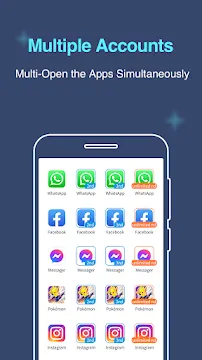
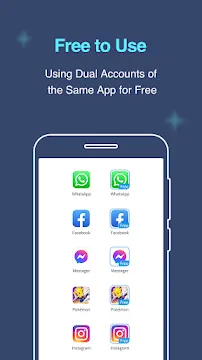
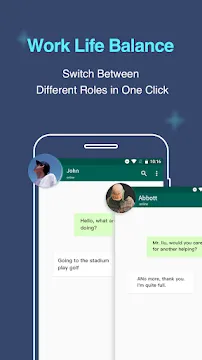
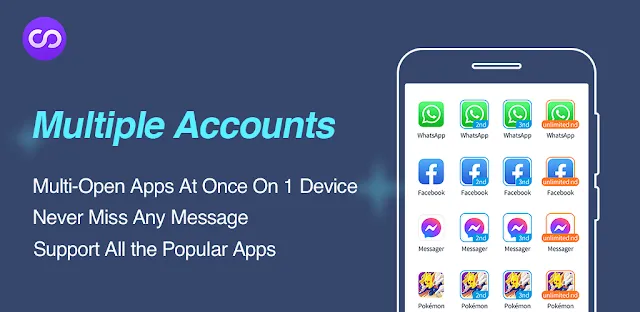
Multiple Accounts: Dual Space App For Android offers a practical solution for individuals who need to manage several digital identities on a single smartphone. Many users find it difficult to balance their professional and private lives when both rely on the same applications. This software allows you to create a parallel space where you can run a second instance of almost any app. You can stay logged into two different profiles simultaneously without the need to switch back and forth manually.
The application creates a secure and isolated environment within your mobile device to house these secondary accounts. Each cloned app operates independently and does not interfere with the data of the original version. This ensures that your work messages stay separate from your family chats and your gaming progress remains distinct across different profiles. It focuses on providing a stable experience while maintaining the speed of your operating system. The interface remains simple so that anyone can start cloning their favorite tools within seconds.
Run Two Social Media Profiles at Once
Multiple Accounts allows you to double your social presence with minimal effort. You can manage a business account and a personal account for apps like WhatsApp or Facebook on one screen. This is particularly helpful for entrepreneurs who need to respond to clients while staying in touch with friends. You no longer have to carry two separate phones to maintain your professional image. The app sends notifications for both accounts so you never miss an important update.
Privacy is a key focus when you handle multiple social profiles. The application ensures that the data from one account never leaks into the other. You can even customize the notification settings to distinguish between work alerts and personal messages. This high level of organization helps you stay focused throughout your busy day. It provides a clear boundary between different parts of your digital life.
Enhance Your Mobile Gaming Strategy
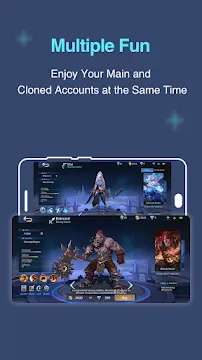
Gamers often use Multiple Accounts to gain a competitive edge in their favorite titles. You can log into two different game accounts to support your main character or gather resources faster. This technique is popular in strategy and role-playing games where multiple avatars can work together. The application ensures that both game instances run smoothly without causing significant lag. It manages your system memory efficiently to support the increased workload of running two games.
The app also supports a wide variety of popular mobile games from around the world. You can experiment with different character builds or test new strategies without risking your primary account progress. Many players find this feature essential for maximizing their efficiency during limited-time events. It turns your smartphone into a more capable gaming machine by allowing for true multitasking. You get the benefits of two devices while only holding one.
Simple and Efficient User Interface
The design of the software prioritizes clarity and ease of use for all users. When you open the tool, you see a straightforward list of apps that you can clone. You simply tap the add button to create a second version of the software you need. The cloned app appears within the Dual Space dashboard for quick access. This clean layout prevents your home screen from becoming cluttered with duplicate icons.
Customization options allow you to rename your cloned apps to avoid any confusion. You can label one as “Work” and the other as “Home” to keep your workflow organized. The application also allows you to create desktop shortcuts for your clones if you prefer direct access. Even those who are not tech-savvy can navigate the settings and set up their accounts in less than a minute. It removes the technical barriers to app cloning.
Protect Your Privacy with Secret Zones
Security is a major concern for anyone managing private data on a mobile device. Multiple Accounts includes a “Secret Zone” feature that keeps your cloned apps invisible to others. If someone borrows your phone, they will not see your secondary accounts on the main menu. This adds a powerful layer of protection for sensitive business information or private conversations. You can lock the entire application with a password or a pattern.
The software does not track your personal login details or store your passwords on external servers. It simply provides the virtual space required for the apps to function. This local approach to data management ensures that your information stays on your device. You can use your favorite messaging tools with total confidence that your privacy remains protected. It acts as a digital safe for your most important accounts.
Optimize Device Performance and Battery
Running multiple applications at the same time can often drain a battery quickly. Multiple Accounts uses an optimized engine to reduce the impact on your hardware. It puts inactive clones into a low-power state when you are not actively using them. This prevents background processes from consuming too much energy or data. You can enjoy the benefits of dual accounts without worrying about your phone dying before the end of the day.
- Monitor RAM usage for each cloned application.
- Clear background cache with a single tap.
- Switch between power-saving modes to extend battery life.
- Receive alerts if an app uses too much data in the background.
The tool also provides a clear overview of how much storage each clone occupies. You can manage your files easily and delete cloned data that you no longer need. This keeps your smartphone running at peak performance regardless of how many accounts you use. It ensures a fast and responsive experience for every task.
Stay Updated with Seamless Synchronization
Updating your cloned apps is a simple process that does not require extra steps. When you update the original app through the standard store, the cloned version usually adopts those updates automatically. This ensures that you always have the latest security patches and features for all your accounts. You do not have to worry about your secondary profiles becoming outdated or buggy over time. It maintains a consistent experience across both versions of the software.
The application also supports cloud backup for many of its cloned instances. This means you can move your data to a new phone without losing your chat history or game levels. It provides a long-term solution for managing your digital identity as you upgrade your hardware. The software remains a reliable companion for your daily mobile activities. It simplifies the complex task of staying connected in a modern world.
Final Thoughts
Multiple Accounts: Dual Space App For Android is an essential utility for anyone seeking better organization and privacy. It allows you to separate your work and personal lives while using only one device. With its specialized features for gaming and social media, it meets the needs of a diverse range of users. The focus on security ensures that your private data stays hidden from prying eyes. Furthermore, the performance optimization tools keep your smartphone running smoothly even with multiple active profiles. This application provides the freedom to explore different digital identities without any technical headaches. It is a smart choice for maximizing the potential of your mobile hardware every day.